

What Is a DMARC Check and Why It Matters for Email Security
A DMARC check is essential for maintaining email security. DMARC, or Domain-based Message Authentication Reporting and Conformance, is a protocol aimed at safeguarding your domain from email threats such as phishing, spoofing, and impersonation. By using DMARC record validation, organizations can protect their brand and ensure that only legitimate senders can utilize their email address in the header-From field.
Conducting a DMARC check assesses whether a domain has a proper DMARC record in its DNS, how it responds to authentication failures, and the policies in place against fraudulent emails. Companies of all sizes, from enterprises to managed service providers and even individual domain holders, are increasingly expected to adopt DMARC for enhanced brand protection and compliance monitoring. Notably, leading providers like Google and Yahoo require adherence to DMARC policies for bulk email senders.
In the absence of DMARC authentication, your domain is vulnerable to unauthorized use. Cybercriminals can take advantage of email system weaknesses to execute phishing attacks, endangering both senders and recipients. Therefore, implementing and routinely conducting a DMARC check is critical for ensuring effective email security.
How DMARC Works with SPF and DKIM to Authenticate Email
The Email Authentication Ecosystem
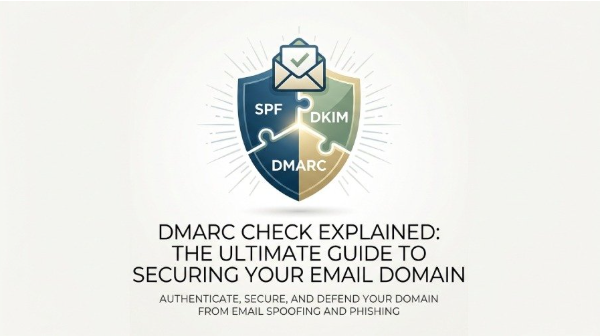
DMARC authentication relies on two essential protocols: SPF (Sender Policy Framework) and DKIM (DomainKeys Identified Mail). The SPF check verifies the SPF record to see if the message is sent from an IP address that is permitted to act on behalf of a specific domain. Meanwhile, the DKIM check ensures the integrity of the message by validating the DKIM record, confirming that it has not been modified during transmission and that it comes from an authorized sender.
Alignment Modes and Policy Enforcement
DMARC presents the idea of alignment mode, requiring both SPF and DKIM to match the domain in the “header-From” for a successful DMARC verification. If either SPF or DKIM is aligned and passes, the DMARC evaluation is deemed a success. Conversely, if it fails, the DMARC policy dictates the response: a none policy (just monitoring), quarantine (flagging the message or moving it to the spam folder), or reject (outright blocking the message).
Integration with Email Servers
Leading email servers and platforms utilize DMARC to determine the appropriate action for incoming emails that do not pass validation checks. By combining DMARC with SPF and DKIM, a robust email authentication process is established, guaranteeing the authenticity and integrity of messages from their origin to the recipient’s inbox
How to Perform a DMARC Check: Records, Syntax, and Policy Review
Locating the DMARC Record
To initiate a DMARC check, you first need to find the DMARC record associated with a domain. This record is usually located in DNS at the address `_dmarc.example.com`. You can retrieve this information by utilizing tools such as a DMARC record lookup or a DMARC record checker like MXToolbox, dmarcian, or the EasyDMARC service.
Key Record Components
A typical DMARC record is a TXT entry in the DNS, designed to incorporate the DMARC policy (p=), reporting URIs (rua=, ruf=), alignment settings (adkim=, aspf=), and the policy for subdomains (sp=). Correct setup is crucial for aligning message handling with the requirements of the organization.
Syntax and Policy Validation
When conducting a DMARC check, it’s crucial to validate DMARC to ensure that the syntax is accurate and free from errors or misconfigurations. Common errors to watch for include:
- Mistakes in the policy string’s syntax
- Missing or incorrect policy values (such as p=reject/none/quarantine)
- Invalid report URIs for aggregate (rua) or forensic (ruf) reports
- Failure to include necessary tags, which can result in ineffective policy communication
Leading DMARC checkers and diagnostic tools, such as dmarcian or EasyDMARC, help users check DMARC records, identify syntax issues, recommend fixes, and confirm alignment with the standards outlined in RFC 7489.
Understanding DMARC Check Results and Common Configuration Issues
Interpreting DMARC Check Outcomes
A reliable DMARC record verification tool provides clear results for DMARC assessments. Common outcomes include:
- Pass: Successful DMARC authentication and alignment, indicating effective protection.
- Fail: Issues found with alignment or failures in SPF or DKIM validation.
- Policy Missing: The domain lacks a DMARC record.
The output of a DMARC validation may also present the evaluation status of the policy, the reporting frequency, and information regarding where reports are sent.
Identifying and Resolving Configuration Issues
Numerous organizations encounter issues related to misconfigurations, including:
- Absence of DMARC records or outdated entries
- Misalignment in SPF or DKIM settings, resulting in authentication failures
- Problems with SPF or DKIM records, such as missing keys or incomplete lists of approved senders
- Inadequate policy decisions, like relying solely on a “none” policy when stronger protection is required.
To address these challenges, users should utilize domain scanning tools from services like MXToolbox, dmarcian, or EasyDMARC, which can detect and notify them of these issues. Additionally, solutions like SPF Flattening and the DKIM Toolset aid in simplifying troubleshooting and maintaining compliance oversight.
The Impact of Misconfiguration
A syntax issue or an incorrectly set up DMARC record can make a domain vulnerable to phishing and spoofing attacks. Additionally, inadequate distribution of policies or faulty reporting configurations can obstruct analysis after email delivery, complicating the monitoring of fraudulent activities or impersonation attempts.
Best Practices for Strengthening Your DMARC Policy and Ongoing Monitoring
Evolving Your DMARC Policy
Gradually shifting your DMARC configuration from a none policy (monitoring mode) to a stronger approach like quarantine or reject is advisable. This transition enhances brand security and significantly reduces the effectiveness of impersonation attempts.
Structured Rollout and Policy Tuning
Begin with a “none” policy to observe email traffic through summary and detailed reports. Examine these DMARC reports to identify any authentication issues or misdirected messages. As compliance with DMARC increases and email authentication becomes more consistent, progressively strengthen the DMARC policy to “quarantine,” followed by “reject.”
Continuous DMARC Monitoring
Utilize sophisticated DMARC checker tools and compliance dashboards offered by services like dmarcian’s DMARC Services, EasyDMARC, or those endorsed by G2 Crowd, SourceForge, and Expert Insights. Implement automation for DMARC record checks and validation to maintain continuous insights.
Reporting and Analysis
Set up accurate reporting timelines and determine the appropriate URIs and destinations for reports. Regularly reviewing DMARC reports facilitates swift detection of violations, policy deficiencies, unauthorized senders, or potential misuse.
Extending Protection and Compliance
Boost the credibility of your emails and reinforce their visual security by implementing extra protocols such as BIMI, which showcases brand logos. You can achieve this through a BIMI Generator or Managed BIMI services. Additionally, utilizing Forensic Reporting tools and actively monitoring your subdomains via a subdomain policy will enhance overall email security.
Adopting a methodical, repetitive strategy for DMARC, along with thorough DMARC validation and frequent reviews of DMARC records, represents the best practice for safeguarding your domain name and ensuring effective email security.